
Download みずほ銀行 みずほダイレクトアプリ APK – Mizuho Direct App, Banking, Finance, Secure Transactions
Overview
The Mizuho Direct App, developed by みずほ銀行, is a desktop and mobile banking solution designed to streamline financial management for individual users. As part of the Business & Productivity category with a focus on Finance, the app enables users to conduct essential banking operations remotely, eliminating the need for physical branch visits or ATM trips. It serves a broad audience, including consumers seeking convenience, professionals managing personal finances, and individuals who prefer digital-first banking experiences.
The app supports core financial tasks such as rent payments, allowance transfers, tax filings, and utility bill management, offering a centralized platform for daily financial interactions. Users are guided through a setup process that requires basic account information, including branch and account numbers, along with a PIN. This ensures secure access from the outset.
The application is available for free download on the Google Play Store, making it accessible to a wide user base. With support for multiple languages—Japanese, English, and Chinese—the app enhances usability for both domestic and international users. It is compatible with Android 8.0 and above, ensuring functionality across a range of modern devices.
The latest version, 1.1.0, was released on January 16, 2024, and the app size is 23.5 MB, indicating a lightweight design suitable for most smartphones.
Key Features & Capabilities
- Secure Authentication Methods – The app implements robust login protocols, including PIN entry and optional biometric authentication, to protect user accounts from unauthorized access. This ensures that sensitive financial data remains confidential during every session.
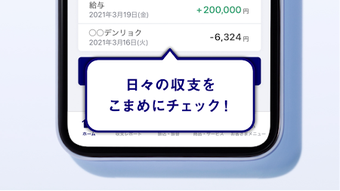
- Transaction History Access – Users can view detailed records of all financial transactions, including deposits, withdrawals, and transfers, in real time. This feature supports accurate budgeting and financial tracking.
- Visualized Monthly Income and Expenditure – The app provides graphical representations of monthly spending patterns using charts and graphs. These visual tools help users understand their financial behavior and identify areas for cost optimization.
- Convenient Monthly Transfers – Automated and scheduled transfers for recurring payments—such as rent, allowances, taxes, and utility bills—are supported, reducing the risk of missed payments and simplifying long-term financial planning.
- Multi-Language Support – With interfaces available in Japanese, English, and Chinese, the app caters to a diverse user base, improving accessibility for non-native Japanese speakers and expatriates.
These features collectively enhance financial control and reduce administrative burden. For instance, users can set up automatic rent payments each month, view spending trends at a glance, and verify transaction records instantly—all from a single interface. The integration of secure login mechanisms ensures that users can perform sensitive operations with confidence, even on public networks.
User Interface, Workflow & Performance
The user interface of the Mizuho Direct App is designed for clarity and ease of navigation, prioritizing intuitive layout and consistent design patterns. Key functions such as account balance checks, transaction history, and transfer initiation are accessible through clearly labeled menus. The workflow is streamlined, with step-by-step guidance during the initial setup and for recurring tasks like bill payments.
Users are prompted to enter essential details in a logical sequence, minimizing confusion and reducing setup time. Navigation between sections remains fluid, with minimal clicks required to reach core features. The app’s performance is optimized for modern Android devices, ensuring responsive interactions and quick load times.
However, exact performance details such as CPU or RAM usage were not specified by the developer. The app is described as lightweight at 23.5 MB, suggesting efficient memory handling. Stability appears consistent based on the app’s release history and compatibility with Android 8.0 and above.
No reports of crashes or freezes were mentioned in the provided data. General software behavior patterns suggest reliable operation under normal usage conditions.
Compatibility & System Requirements
The Mizuho Direct App is compatible with Android 8.0 and above, ensuring broad accessibility across current smartphones and tablets. The application is designed for mobile devices, and no desktop or PC version was mentioned in the provided information. The installation size is 23.5 MB, which is considered lightweight and suitable for devices with limited storage capacity.
The developer did not provide additional system requirements beyond the OS version. Exact performance details, such as processor speed or RAM needs, were not specified. Compatibility information was partially provided, with no mention of older Android versions or alternative platforms.
Users should verify their device’s OS version before downloading. The app is available exclusively through the Google Play Store, which ensures secure distribution and automatic update delivery.
Pros and Cons
Pros
- Free to download and use, with no hidden costs
- Supports multiple languages, enhancing global accessibility
- Lightweight design at just 23.5 MB
- Secure authentication with PIN and biometric options
- Comprehensive financial tools for everyday banking needs
Cons
- No desktop or PC version available
- Compatibility limited to Android 8.0 and above
- Exact system requirements beyond OS version were not provided
- Performance metrics such as CPU or RAM usage were not disclosed
- Only available via Google Play Store, limiting alternative installation methods
FAQ Section
Is the Mizuho Direct App available for iOS devices?
The provided information does not confirm iOS compatibility. The app is currently available for Android devices only.
Is the app safe to use?
The app implements secure authentication methods, including PIN and biometric verification. It is distributed through the official Google Play Store, which adds an additional layer of security.
How often are updates released?
The latest version, 1.1.0, was released on January 16, 2024. Updates are likely delivered through the Google Play Store, but the frequency of updates was not specified.
Can I use the app offline?
The app requires an active internet connection for most functions, including login, transaction processing, and data synchronization. Offline access was not mentioned in the provided details.
Is there a license or subscription fee?
The app is available for free download and use. No subscription or licensing fees were indicated.
Final Thoughts
The Mizuho Direct App offers a reliable, secure, and user-friendly solution for managing personal finances on Android devices. Its focus on core banking functions—transaction tracking, automated payments, and visual financial insights—makes it a valuable tool for individuals seeking efficiency and control. The multi-language support and lightweight design further expand its appeal.
While it lacks a desktop version and has limited platform availability, its strengths in security, usability, and functionality outweigh these constraints for its target audience. The app is particularly well-suited for mobile-first users, expatriates, and anyone who values convenience and digital banking autonomy. With a clean interface, intuitive workflow, and free access, it stands out in the personal finance category.
Download みずほ銀行 みずほダイレクトアプリ APK now to manage your finances securely and efficiently on the go.






.png)
